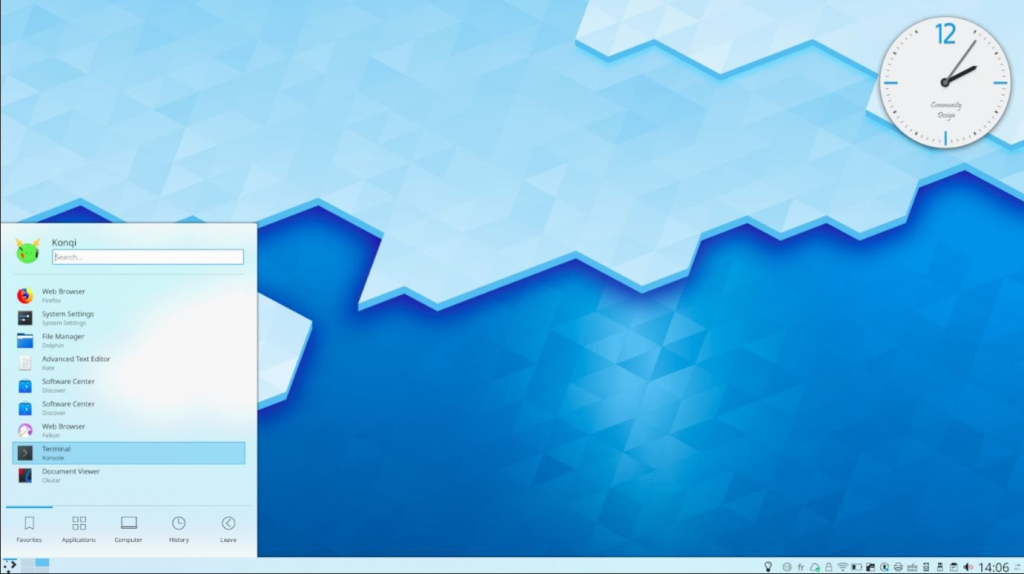
If you want the absolute latest features from the KDE community without waiting for “stable” distributions to stop testing them in 2027, KDE neon is your fix. It’s not exactly a “distribution” in the traditional sense—it’s more like a high-end showroom built on top of a reliable Ubuntu foundation. You get the newest Plasma desktop, the freshest KDE Gear apps, and a rock-solid LTS base that stays out of the way while the UI does the heavy lifting.
KDE neon was announced in 2016 by Jonathan Riddell, the former lead of Kubuntu. Following his departure from Canonical, he wanted a way to deliver KDE software “as the developers intended,” without the patches or delays often introduced by third-party maintainers.
Running KDE neon is like having a VIP pass to the KDE factory floor. While other users are reading about the new “Plasma 6” features on tech blogs, you’re already clicking them. It’s the perfect choice for “Plasma Purists” who want a rolling-release experience for their desktop environment, but don’t want to deal with a rolling-release kernel breaking their Wi-Fi drivers.
The Good Stuff
First in Line: You receive the newest KDE Plasma and Qt updates hours—not months—after release.
Vanilla Experience: No bloated themes or weird tweaks; it’s exactly what the KDE devs designed.
Ubuntu Foundation: Since it’s Ubuntu underneath, nearly every tutorial and .deb package on the web works..
The Reality Check
Software Mismatch: You’ll often find yourself running a 2026 desktop on a 2024 Ubuntu base.
Stability Spikes: Bleeding-edge UI means you might occasionally meet a bug that hasn’t been squashed yet.
The Update Rule: You must use pkcon or Discover for updates; using standard apt can occasionally break things.